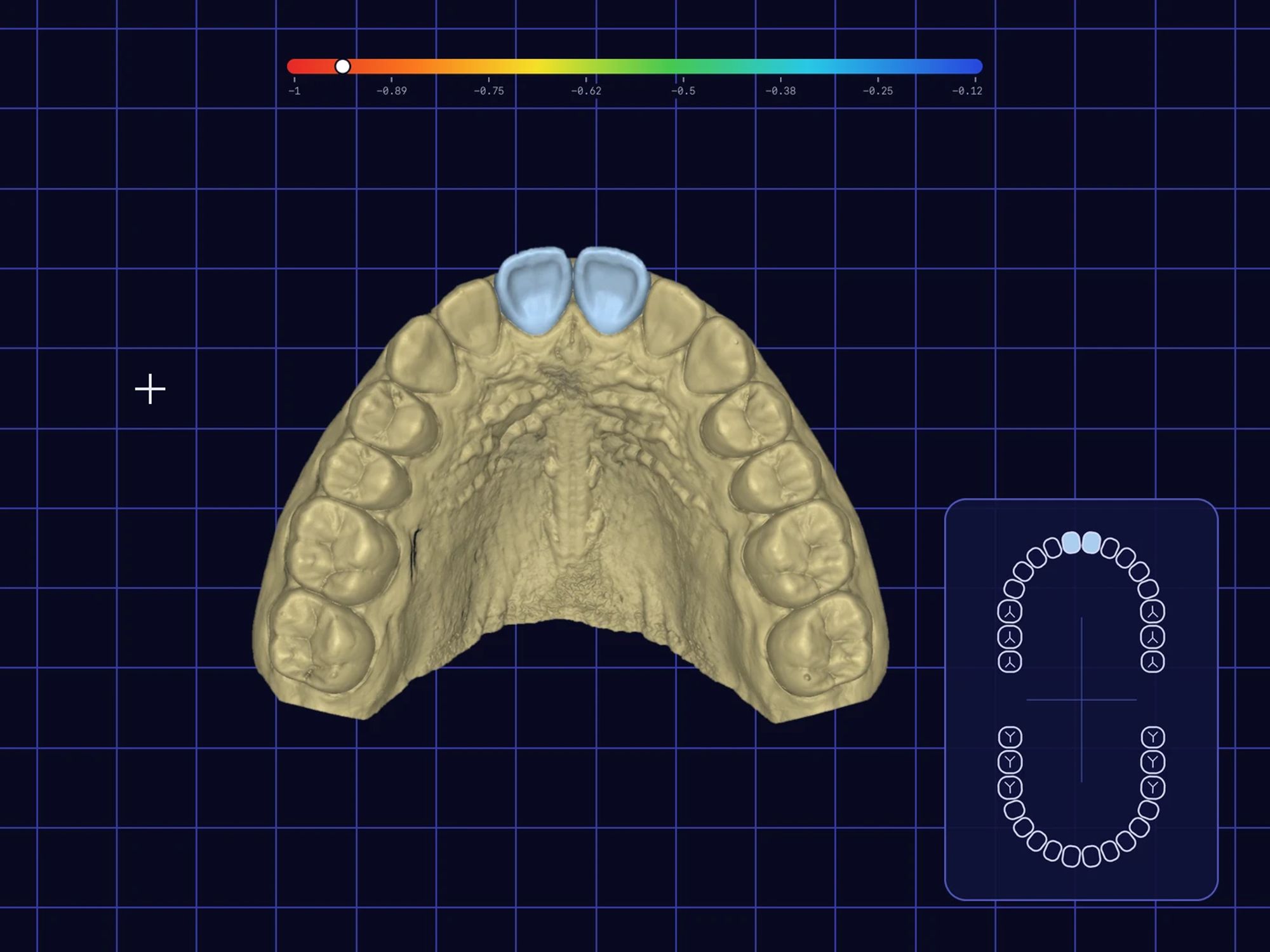
MAPS
Build the map the robot follows.
Tech staff build each map in detail: select the area, let the robot scan it, then add stop points, high-touch surfaces and the path width. It's powerful, but it's technical.
Healthcare, robotics · iPad Design
Two apps for one robot, because cleaners run it.
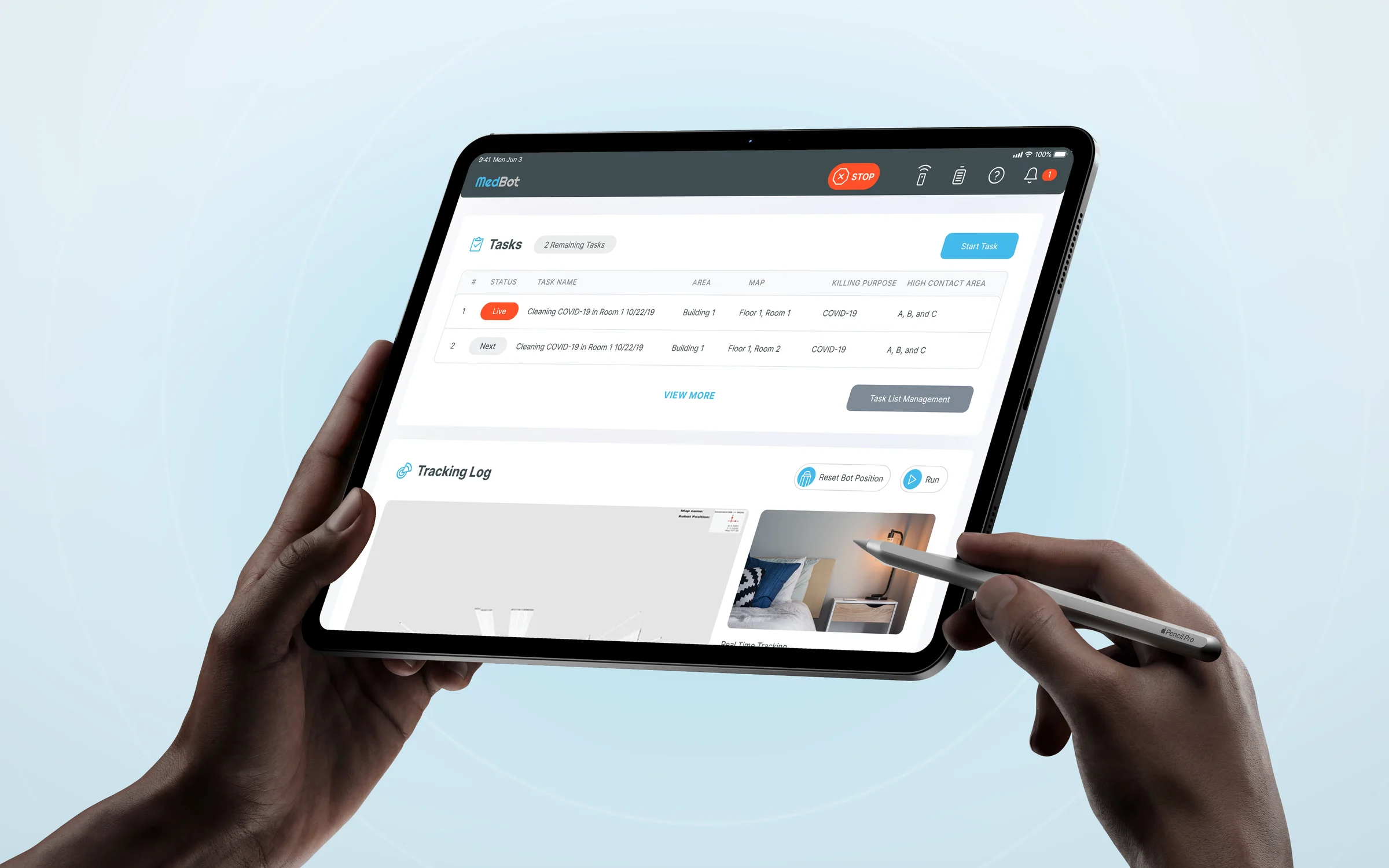
MedBot makes a robot that disinfects hospital rooms with UV-C light, run from an iPad. The first design was built for technical staff. When I tested it with real users, I found that most runs are started by cleaners, and the technical, busy screens lost them. So I designed two versions of the app: full tools for tech staff, and a guided flow for cleaners.
The challenge
The first design assumed engineers: maps, zones, paths and settings on every screen. Testing with real users showed something else. Most runs are started by cleaners between their other jobs, and they don't think in maps.
Building a map means selecting an area, placing stop points and setting the path width. Tech staff managed it. Cleaners stopped and asked for help.
A cleaner starts a run between two rooms. When every screen is full of options, it's hard to tell which button is safe to press.
Nobody can be in the room while the UV lamp is on. Whoever starts the run, the safety checks have to be impossible to skip.
The approach
I kept the full app for the people who need it and designed a second, guided version for everyone else. Both end in the same safety check.
Maps, task planning, reports and robot settings stay in full for tech staff and managers, who set the robot up and read the results.
A guided flow with one step per screen: mark the start, walk the robot along its path once and run the check, or drive it by remote control. No map tools.
Every path to Start, in either version, ends with the same checklist and a short countdown. The STOP button stays in the header on every screen.
In action
Advanced version
The full app: build maps, plan and run tasks, and read the reports.
MAPS
Tech staff build each map in detail: select the area, let the robot scan it, then add stop points, high-touch surfaces and the path width. It's powerful, but it's technical.
TODAY'S TASKS
From Home, an operator opens today's tasks and manages the list: reorders it, removes a task and adds another. Then they set the disinfection goal, do the safety checks at the robot and follow each task from ready to running to done.
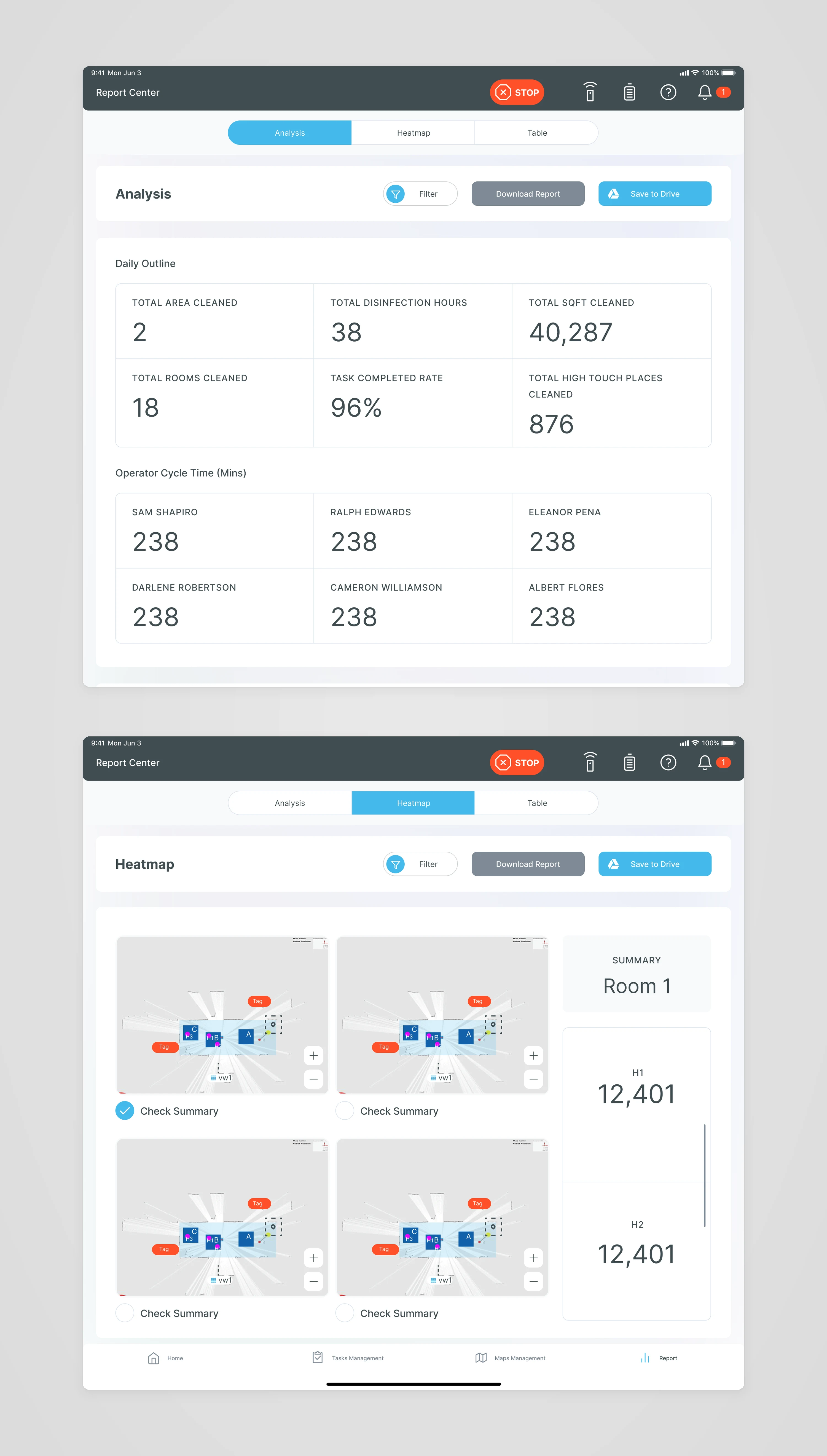
REPORT CENTER
Managers see the day's numbers: rooms cleaned, disinfection hours, area covered and completed tasks. A heatmap shows where the robot spent its UV time in each room.
Basic version
What I designed after testing: a guided flow with one step per screen and no map tools.
TEACH AND TASK
When I tested map building with real users, cleaners found it too technical. So I designed Teach and Task: a guided flow where they mark the start, walk the robot along its path once and run the safety check. One step per screen, no map tools.
Design language
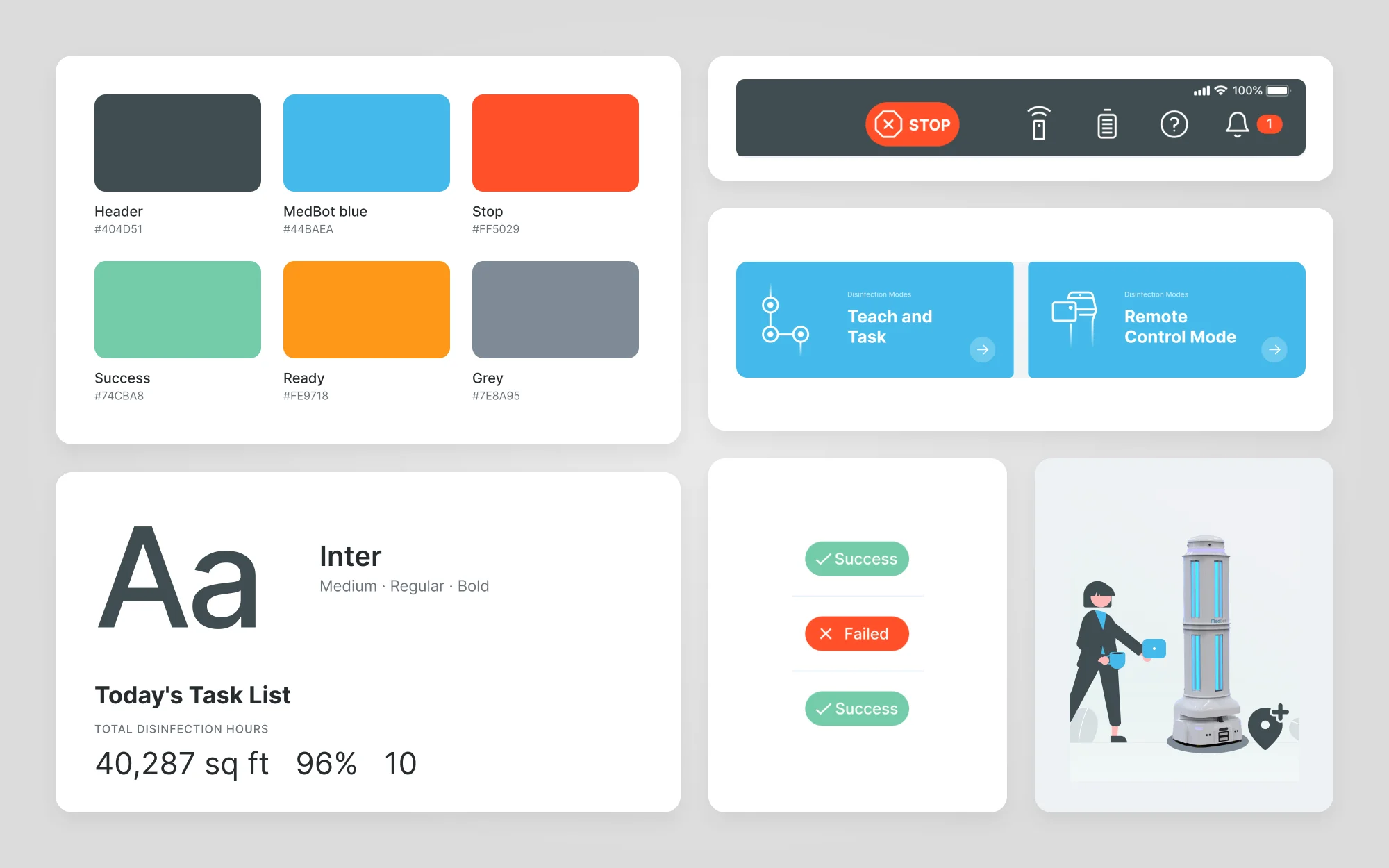
A dark slate header holds the controls that matter everywhere, with STOP always in reach. White cards on a light grey page keep tables and maps easy to scan. MedBot blue marks the main action, and status always has a word as well as a colour.
I worked with MedBot from discovery to UI design. Testing with the people who actually use the robot turned one app into two versions: full tools for tech staff and a guided flow for cleaners. Every run, in either version, starts with the same safety check.